

C@coffee.culture

Growify ZSmart Instagram engagement assistant
Stop waiting on the algorithm.
Instagram isn't showing your content to new people. Growify Z engages with your target audience every day, so they discover your profile and Instagram starts pushing your posts.
Works in Chrome on desktop. No password required.
Great content isn't enough anymore.
The problem
Instagram is bad at showing your content to new people. Getting stuck at 100 to 200 views per post is now normal, no matter how much work went into it.
Posting and hoping the feed picks you up is a losing game.
What Growify Z does about it
Growify Z handles your daily engagement for you. It interacts with targeted, interest-based accounts, and those people notice you. They visit your profile, engage with your posts, comment, and follow.
Instagram sees an active, engaged profile and starts showing your content to more people.
What Growify Z does, step by step.
Everything runs inside the Instagram tab you already use.
Watch the full walkthrough.
See Growify Z set up and running from start to finish.

A look inside
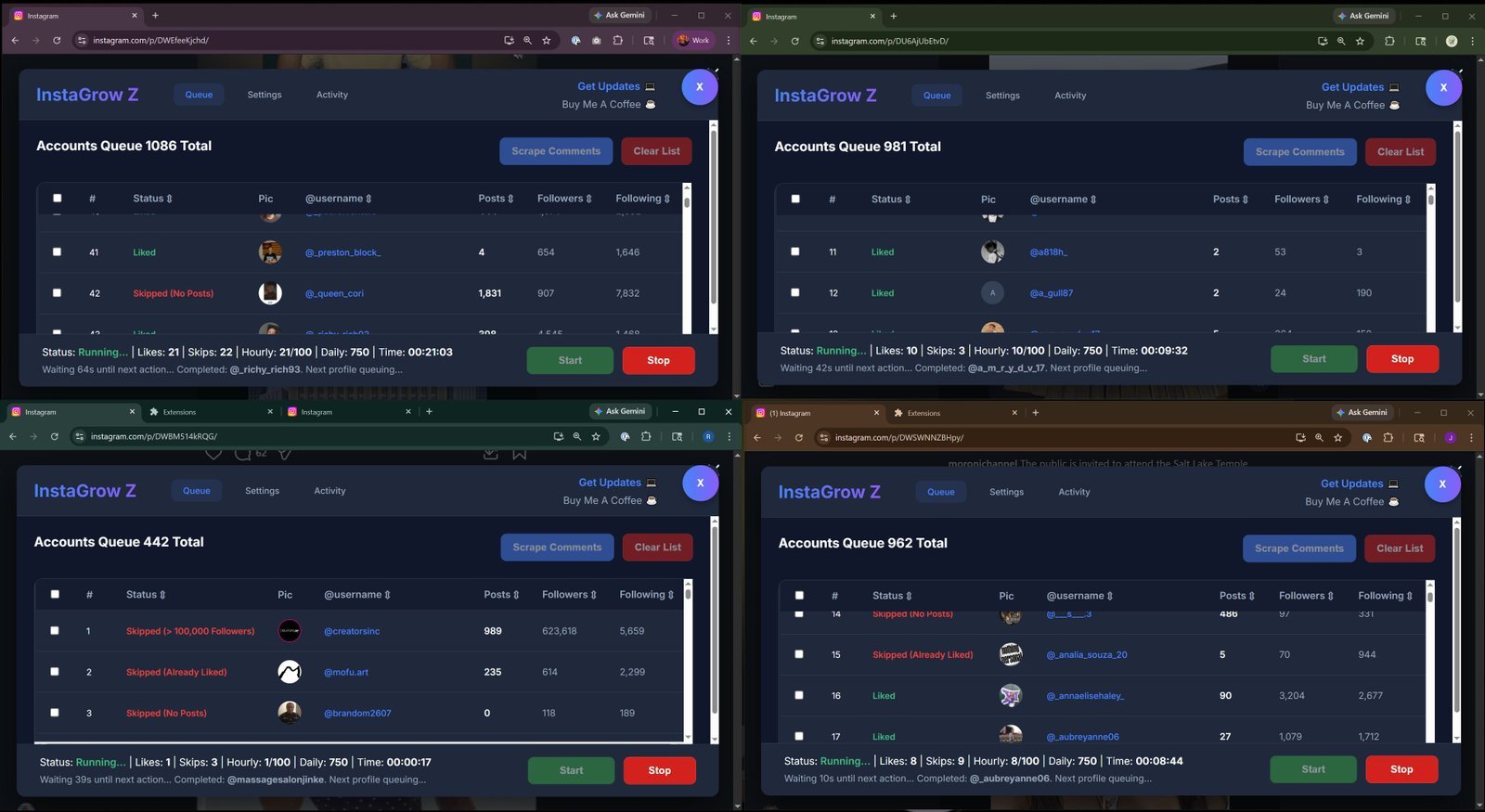
Growify Z opens as a panel right inside Instagram. Select any screenshot to enlarge it.
Safe limits, built in.
Instagram limits how many actions an account can take in a short time. Growify Z works inside those boundaries with hourly and daily caps and randomized delays between every action.
New accounts should start slowly and build up. Established accounts can safely do more.
Every number is real.
Growify Z counts only likes that actually went through, and skips private accounts, empty accounts, and duplicates. You can check it anytime in Instagram under Your activity > Likes.
Instagram doesn't publish official limits, and they change over time. These ranges are widely used guidelines. Check current advice before raising yours.
Real results from consistent engagement.
Instagram Insights from an account running Growify Z daily. Every view came from organic reach, with no ad spend.
Is Growify Z right for you?
A great fit if you
- Want real Instagram growth: likes, engagement, and followers
- Are a creator targeting people by interest in your niche
- Are a brand looking for a better return than Facebook and Instagram ads
- Know that consistent, daily engagement is what wins
Not the right tool if you
- Need very narrow targeting, such as specific zip codes or ages
- Expect 10,000 followers overnight. Growth takes time and patience
- Run spam accounts. Growify Z is built to grow real brands
Questions, answered
How do I get started?
After installing, open Instagram in Chrome. The Growify Z icon appears in the upper corner of the page. If you don't see it, reload the page.
You can also click the extensions icon in Chrome's toolbar (it looks like a puzzle piece), pin Growify Z, and use that icon to open and close the tool.
Is it safe for my account?
Staying within the hourly and daily limits for your account's age keeps your risk low. Instagram doesn't publish official numbers, but the built-in defaults follow widely used guidelines. Limits change over time, so it's worth checking current advice now and then.
Do I have to give you my password?
No, never. Growify Z runs entirely in your browser and talks to Instagram directly, so every action comes from your own connection and IP address.
Keep the Instagram window open while a session runs, or Growify Z will pause. When you're not running a session, you can close the tab.
What is the primary and secondary account strategy?
Automation tools used to be able to follow almost unlimited accounts per day. That's no longer true, and pushing too hard can get an account temporarily blocked from following or unfollowing.
A better approach is to split the work. Your primary account is your main profile: post your best content there and engage with your followers personally.
Then create several secondary accounts in the same niche. Post similar content without copying the primary exactly, and link to the primary in each bio. Run Growify Z on the secondary accounts. When one reaches its daily limit, switch to another. Secondary accounts can also message their new followers and invite them to follow the primary.
The more secondary accounts you run, the more traffic flows to your primary, and the engagement workload is spread safely across them.
Why does Growify Z pause in the middle of a session?
Make sure your computer doesn't go to sleep while a session is running, and keep the Instagram tab active. Chrome can also discard background tabs to save memory. To stop that:
- Open a new tab, go to
chrome://discards, and press Enter. - Find each Instagram tab running Growify Z and turn off Auto Discardable.
Growify Z says it's engaging, but I don't see any activity.
To see the posts you've liked recently:
- Go to your profile and open the menu.
- Select Your activity.
- Open Likes and filter by date to review your engagement history.
Start growing today.
Grow your own Instagram, or your clients'. Install Growify Z and run your first session in minutes.
Get growth tips and updates.
Advanced strategies, new features, and launch news from AI Growth Z.
Growify Z is not affiliated with or endorsed by Meta Platforms, Inc. or Instagram.
maya.createsthis latte art is unreal
kai.cooksneed this recipe asap
bloom.and.fernsaving for my next café day
j.okafor.filmsthe lighting in this shot